
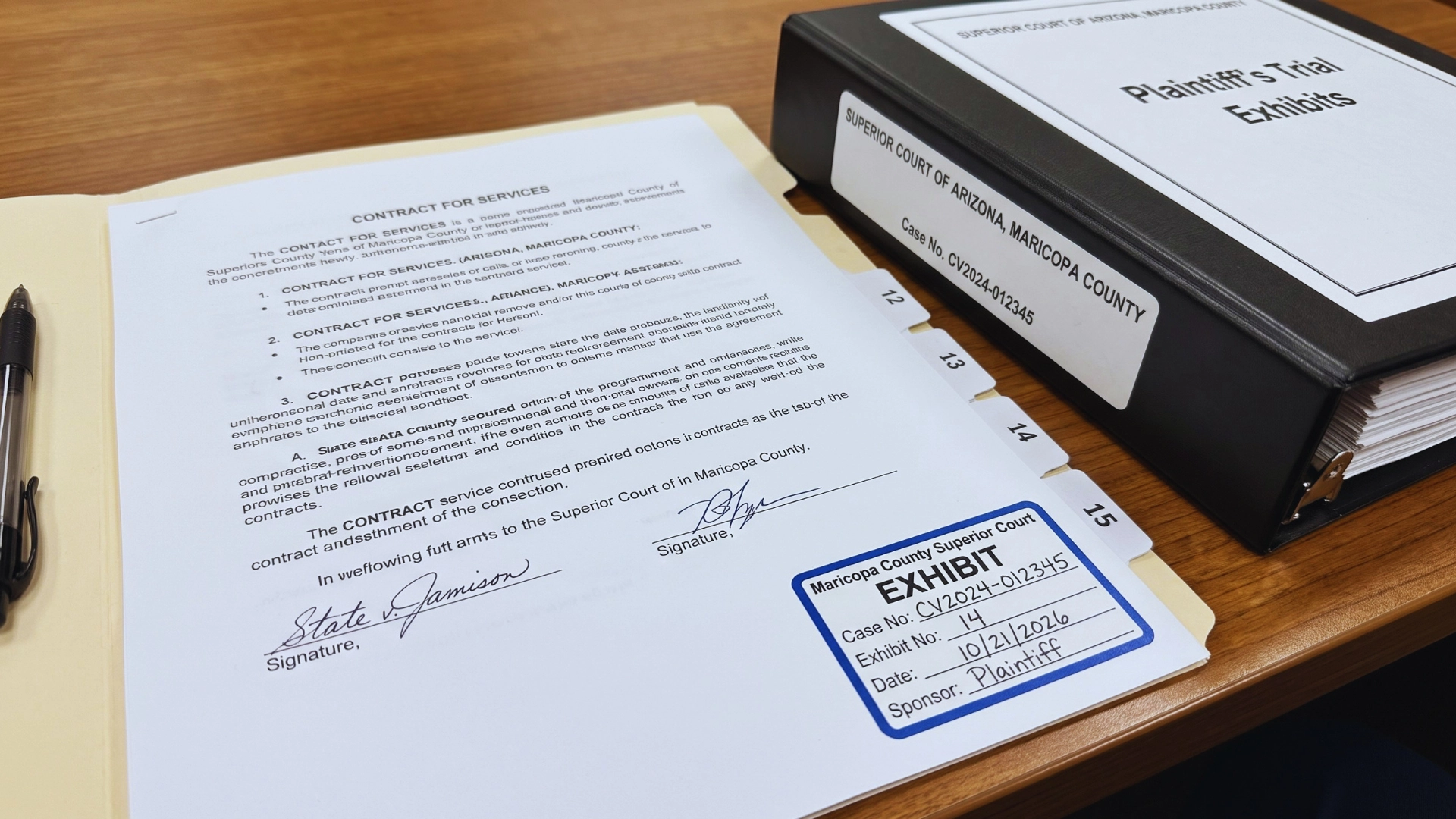
Preparing trial exhibits follows a fixed sequence. To successfully organize, label, and prepare legal exhibits for trial without missing any crucial details, you must follow a strict, verified process. The standard workflow requires you to: identify your necessary evidence, lock in a consistent numbering system, generate perfectly legible copies, apply court-compliant labels, and build an exhibit list that matches those labels exactly. Finally, you must distribute the required physical sets, test all digital files, and perform a final verification check before the court’s deadline.
A single clerical error can stall testimony or put an exhibit’s admission at risk. Because this process demands high document volume under tight deadlines, tasks like trial printing, building witness binders, and formatting digital files often overwhelm in-house staff.
Key Takeaways
- What is the first step in preparing trial exhibits? Identify which materials you will actually offer into evidence, then lock a numbering system before you copy anything.
- How should exhibits be numbered? Use one system, such as plaintiff numbers and defense letters or assigned number blocks, and never renumber after exchange. If the court’s portal assigns numbers, use those.
- Does e-filing eliminate paper exhibits? No. Many courts still require or encourage bench copies, witness binders, and paper backups.
- What causes most exhibit problems we see? A mismatch between the exhibit label, the exhibit list, and the digital filename.
- When should exhibit preparation start? At least two to three weeks before the court’s exhibit deadline, not the trial date.
What Are Trial Exhibits?
A trial exhibit is any item a party marks for identification and offers into evidence, or uses to illustrate testimony, during a trial or evidentiary hearing. Exhibits fall into two broad groups: substantive evidence, which proves a fact, and demonstrative aids, which help explain it.
Common examples include:
- Contracts, invoices, emails, and business records
- Photographs, video, and audio recordings
- Medical, financial, and employment records
- Charts, timelines, models, and summaries of voluminous records
- Physical evidence, such as a product or a damaged part
Not every document in the case file becomes an exhibit. The table below shows the distinction.
| Trial exhibit | General case document | |
| Purpose | Offered as evidence or used before the fact-finder | Supports case work: pleadings, research, correspondence |
| Numbering | Assigned an exhibit number or letter | Indexed internally, if at all |
| Disclosure | Listed and exchanged before trial | Usually not exchanged as an exhibit |
| Foundation | Needs authentication before admission | No foundation required |
| Copies | Multiple sets for court, counsel, witnesses | Kept in the firm’s file |
James McElhaney’s checklist on introducing exhibits, republished by the American Bar Association, notes that clerks or court reporters typically assign the exhibit number at trial. In cases with many similar exhibits, it recommends agreeing on numbering in advance.
How to Prepare Exhibits for Trial
Trial exhibit preparation follows eight steps, from selecting evidence to a final verification pass. Work backward from the court’s exhibit deadline, not the trial date, because exchange and upload deadlines usually come first.
1. Identify the Documents and Materials to Use
Start by deciding which materials you will actually offer. Review discovery productions, deposition exhibits, and expert materials against the elements you must prove. For each candidate, note the witness who will authenticate it and any likely objection.
Set aside items you may use only for impeachment or to refresh recollection. Some courts still require them to be marked. If your source documents sit in a review platform, electronic discovery support can export them in court-ready form.
2. Organize and Number Your Exhibits
Before numbering exhibits, confirm the system required by the court, judge, or submission portal. Maintain consistent identifiers across applicable exhibit labels, indexes, filenames, and physical sets. If the court or portal assigns official exhibit numbers, follow its numbering instructions. Common systems include:
- Plaintiff numbers (1, 2, 3) and defense letters (A, B, C)
- Numbers with party prefixes (P-1, D-1)
- Assigned number blocks, such as plaintiff 1–499 and defense 500–999
- Joint exhibit numbers (JX-1) for documents both sides will use
Some courts assign the number for you. In Maricopa County’s Civil Department, Case Center gives each uploaded exhibit its number, and your exhibit list must use that number.
Once exhibits are exchanged, do not renumber them. Add late exhibits to the end of your block and leave withdrawn numbers vacant.
3. Prepare Clear, Legible Copies
Every copy must be complete and readable at the size it will be viewed. Check for cut-off text, faint scans, missing attachments, and pages out of order. Remove duplicate pages only if they are copying errors, not part of the original record, as you cannot alter a business record.
Use color copies wherever color carries meaning, such as photographs, highlighted records, and maps. Scan paper originals to searchable PDFs through court document imaging so the digital and paper versions match page for page.
4. Label Each Exhibit Properly
Each exhibit needs a label showing the party, the exhibit number, and the case number. Place it in the same position on every exhibit, usually the lower right corner of the first page, without covering content. Add page numbers to multi-page exhibits so witnesses can be directed to a specific page.
Labeling rules vary by court. Some require exhibit stickers in specific colors or coversheets for physical items; Maricopa County’s Civil Department, for example, uses coversheets for physical exhibits. Check the local rules and the judge’s procedures.
5. Create an Exhibit List
The exhibit list is the index the court, clerk, and opposing counsel use to track every exhibit. Include at least the exhibit number, a neutral description, the date, the sponsoring witness, and columns for objections and the court’s ruling. Keep descriptions neutral, since argumentative descriptions draw objections.
The list must match the exhibits exactly. Use what we call the Three-Point Match: every exhibit number must agree across the physical label, the exhibit list, and the digital filename. Where a portal assigns numbers, the portal number is the one the other three must match. In our production work, most exhibit errors we catch are a break between two of those three points.
6. Prepare Copies for Court and Other Parties
Most trials need several identical sets. The court’s order controls the count, but a typical set plan looks like this:
| Set | Recipient | Typical format |
| Original | Clerk or courtroom deputy | Marked originals |
| Bench copy | Judge | Tabbed binder |
| Opposing counsel | Each opposing party | Binder or electronic |
| Witness set | Witness stand | Tabbed binder |
| Trial team | Counsel table | Binder with working notes |
| Jury copies | Jurors, if permitted | Copies of key exhibits |
For exhibit-heavy cases, legal document printing services can produce, tab, and bind all sets to the same specification.
7. Prepare Digital Exhibits
Digital exhibits need the same discipline as paper. Name every file with its exhibit number first, such as PX-0042_Purchase-Agreement.pdf, so files sort in exhibit order. Use widely supported formats: PDF for documents, MP4 for video, and MP3 or WAV for audio.
Test every file on the equipment that will be in the courtroom, not only on your office computer. Confirm the court’s upload portal, file-size limits, and whether it accepts audio or video. In Maricopa County Case Center (used by Civil Department judges) accepts audio and video, but the Clerk’s Online Exhibit Portal does not, so media for divisions on that portal goes on a flash drive or CD/DVD; see our guide to Maricopa County court exhibit rules.
8. Perform a Final Exhibit Check
Complete the final exhibit verification before the applicable submission deadline, allowing sufficient time to correct errors. Check numbering, page completeness, legibility, labels, exhibit-list accuracy, required copies, digital files, and court-specific requirements. Record who completed the verification and when.
| Check | How to verify |
| Correct numbering | No gaps or duplicates; numbers match the block assigned |
| Complete pages | Page count matches the source; attachments included |
| Legibility | Every page readable at viewing size; color where needed |
| Correct labeling | Party, number, and case number on every exhibit |
| Consistent exhibit list | Three-Point Match: label, list, and filename agree |
| Required copies | Set count matches the court’s order |
| Digital files tested | Each file opens and plays on courtroom equipment |
| Court rules verified | Scheduling order, local rules, and judge’s procedures reviewed |
Common Mistakes to Avoid When Preparing Trial Exhibits
Most exhibit problems are preventable process failures. These are the ones that most often disrupt trial:
| Mistake | What happens |
| Inconsistent numbering | Testimony stalls while counsel locates the right exhibit |
| Missing pages | Opposing counsel objects under the rule of completeness |
| Poor-quality copies | Witnesses and jurors cannot read key text |
| Incorrect labels | The record shows the wrong exhibit admitted |
| Last-minute preparation | Errors pass unchecked; rush production fails |
| Ignoring court-specific rules | Exhibits are rejected or deadlines missed |
| Untested digital exhibits | Video will not play in the courtroom |
One further mistake is assuming electronic submission reduces print volume. It often does not. Maricopa County’s Civil Department, which requires Case Center uploads, still encourages paper backups in case courtroom technology fails, and some divisions require bench copies. Plan for both formats.
Trial Exhibit Preparation Checklist
Use this checklist in order, starting about three weeks before the court’s exhibit deadline.
Three weeks out
- Read the scheduling order, local rules, and judge’s trial procedures
- Confirm the exhibit deadline, exchange date, and submission portal
- Select exhibits and note the sponsoring witness for each
- Assign the numbering system or number block
Two weeks out
- Scan or collect complete, legible copies of every exhibit
- Apply labels and page numbers
- Draft the exhibit list with neutral descriptions
- Name digital files with the exhibit number first
One week out
- Run the Three-Point Match: label, list, and filename agree
- Produce all required sets: original, bench, opposing counsel, witness, trial team
- Test every digital file on courtroom equipment
- Exchange exhibits and the list with opposing counsel
Before the deadline
- Upload or deliver exhibits to the correct court location
- Prepare paper and drive backups of digital exhibits
- Record who verified each exhibit and when
Requirements vary by court, judge, and case type. In federal civil cases, Federal Rule of Civil Procedure 26(a)(3) sets pretrial disclosure timing, while state courts, such as Maricopa County Superior Court, add their own portals and deadlines. Always treat the scheduling order or minute entry as the controlling document.
Why Litigation Teams Hand Exhibit Production to Quick & Confidential
Exhibit preparation is mechanical work with fixed deadlines, which makes it practical to delegate. Counsel decides which exhibits to offer; a production partner handles copying, numbering, labeling, binding, imaging, and delivery to the same specification across every set.
Quick & Confidential has supported litigation teams from its midtown Phoenix facility since 1995. Its trial exhibit preparation services cover high-volume legal copying, exhibit stickers and coversheets, tabbed bench and witness binders, and oversized trial boards. The facility runs 24 hours a day, 365 days a year, with no rush charges.
Related litigation support services include:
- Trial printing and legal printing for exhibit sets and binders
- Court document imaging for searchable, upload-ready PDFs
- Legal courier service to court divisions, offices, and hotels
- Phoenix litigation support for out-of-state attorneys
If your team is weighing whether to keep exhibit work in-house, see 7 signs it’s time to outsource litigation support. To scope your next trial, send your scheduling order and exhibit list to pr********@******************al.com or call (602) 277-4474.
This guide covers general practice, not legal advice. Your scheduling order and local rules control.
Frequently Asked Questions
How far in advance should you prepare trial exhibits?
You should start at least two to three weeks before the court’s exhibit deadline. That deadline often falls well before trial. In federal civil cases, Rule 26(a)(3) requires pretrial disclosure of exhibits at least 30 days before trial unless the court orders otherwise. State-court deadlines vary by court, case type, and judicial division. For Maricopa County Superior Court, check the case-specific scheduling order, the assigned judge’s procedures, and the applicable exhibit submission instructions to confirm the required deadlines.
How should trial exhibits be numbered?
Trial exhibits should be numbered in one consistent system that every party and the court uses. Common choices are plaintiff numbers with defense letters, party prefixes such as P-1 and D-1, or assigned number blocks. Some courts dictate the system in a scheduling order. Once exhibits are exchanged, keep the numbers fixed and add late exhibits to the end.
How many copies of each trial exhibit are needed?
The number of copies depends on the court’s order, but most trials need four to six sets. A typical plan includes the marked original for the clerk, a bench copy for the judge, one set per opposing party, a witness set, and a trial team set. Jury copies may also be permitted. Always confirm the count in the judge’s procedures.
Can trial exhibits be submitted digitally?
Yes, many courts now accept or require digital exhibit submission. Maricopa County Superior Court, for example, uses Case Center for Civil and Family Department judges. Digital submission rarely eliminates paper, though. Courts may still require bench copies, physical evidence, and media on drives, and many encourage paper backups in case courtroom technology fails.
What is the difference between an exhibit list and trial exhibits?
Trial exhibits are the evidence itself, while the exhibit list is the index of that evidence. The list identifies each exhibit by number, description, date, and sponsoring witness, and the clerk uses it to record objections and rulings. Every number on the list must match a labeled exhibit and its digital file.
What should be on a trial exhibit label?
A trial exhibit label should show the offering party, the exhibit number or letter, and the case number. Many courts also leave space for the clerk to record the date admitted. Place the label consistently, usually on the lower right of the first page, without covering content. Check local rules, since some courts specify sticker colors or coversheets.
Do you need to authenticate trial exhibits before trial?
No, authentication usually happens at trial, but you must plan for it beforehand. Each exhibit needs a foundation, typically testimony from a witness with knowledge, before it is admitted. Identify the sponsoring witness for every exhibit during preparation. Parties can also stipulate to authenticity in advance, which shortens trial time in exhibit-heavy cases.
Should law firms outsource trial exhibit preparation?
Yes, outsourcing makes sense when exhibit volume, deadline pressure, or travel exceeds in-house capacity. Large cases can require thousands of pages produced in several identical sets, often within days. A litigation support provider handles copying, labeling, binding, imaging, and courier delivery, while attorneys keep control of exhibit selection and strategy. Out-of-state counsel benefit most from local production.