
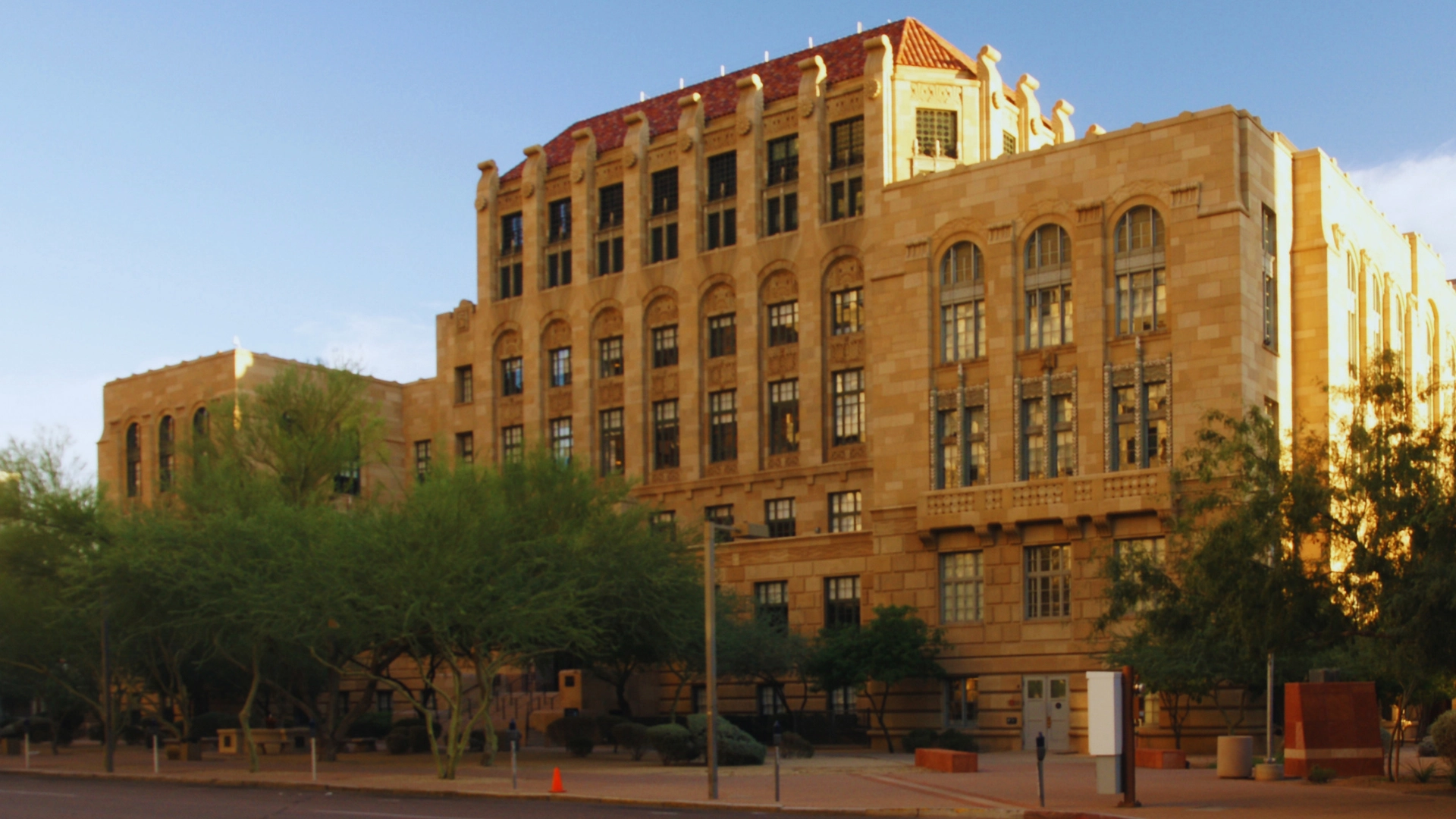
Preparing trial exhibits for Maricopa County Superior Court requires navigating the Case Center and the Clerk’s Online Exhibit Portal, two distinct exhibit-submission systems with deadlines that vary by department, division, and hearing. For Civil Department evidentiary hearings before judges, exhibits are generally due five business days before the hearing unless the applicable order or minute entry states otherwise. Visiting attorneys must carefully check their division’s specific minute entry, as requirements vary heavily by judicial officer and department.
Digital submission does not eliminate physical requirements. While Case Center accepts digital audio and video uploads, the Clerk’s Online Exhibit Portal accepts electronic exhibit submissions, but it does not accept audio or video media uploads. Audio and video exhibits must be provided on a flash drive or CD/DVD and delivered directly to the assigned judicial officer’s division. Furthermore, paper backups, colored exhibit coversheets, and physical evidence must still be hand-delivered directly to the assigned judge’s division rather than the general Clerk’s counter.
To prevent rejected submissions and last-minute scrambling, out-of-state counsel must adapt to these specific local rules before arriving in Phoenix. Drawing on decades of local litigation support experience, this guide outlines the mandatory digital procedures, common submission mistakes, and physical delivery logistics necessary to ensure your exhibits are courtroom-ready in Maricopa County.
Key Takeaways
- Dual Systems: Maricopa County Superior Court runs two exhibit systems: Case Center (mandatory for Civil and Family Department judges) and the Clerk’s Online Exhibit Portal (used by other participating divisions, like commissioners).
- Strict Deadlines: Civil Department exhibits are due five business days before the hearing unless the minute entry states otherwise. Physical exhibits must reach the judge’s division by this exact same date.
- Media Formats: Case Center accepts digital audio and video file uploads. The Clerk’s portal does not, strictly requiring a physical flash drive or CD/DVD delivered directly to the division.
- Paper Still Matters: Electronic submission does not eliminate paper. The court strongly encourages paper backups in case of Wi-Fi failure, and some divisions strictly require physical bench copies.
- Logistics: Visiting attorneys should confirm the division’s instructions early and arrange local printing, media duplication, and courier delivery prior to arriving in Phoenix.
Preparation Tips For Maricopa County
Successfully navigating exhibit logistics in Maricopa County comes down to mastering its dual-system rules and tracking division-specific deadlines. For attorneys accustomed to federal courts or unified state e-filing systems, Maricopa’s fragmented approach requires special attention.
Confirm Your Required Exhibit System
Maricopa County uses more than one exhibit-submission system, and your assigned department and judicial officer dictate which one you must use. Civil and Family Department judges use Case Center, the digital evidence portal adopted statewide under Administrative Order 2021-142. Conversely, cases assigned to commissioners, lower court appeals, or certain specialized dockets may not use Case Center. These divisions may require traditional paper exhibits or accept uploads through the Clerk’s Online Exhibit Portal. Never assume which portal applies; always verify.
Check the Minute Entry for Deadlines and Delivery
For a visiting attorney, your entire workflow is dictated by the minute entry or the specific order setting the hearing. This order will identify your required platform and outline any division-specific formatting instructions. Your upload deadline is calculated in business days counted backward from the hearing date. Remember that any physical exhibits or courtesy copies must be delivered directly to the division staff’s suite.
Special Considerations for Pro Hac Vice Counsel
If you are appearing pro hac vice, accessing Case Center can present a unique hurdle. The Clerk sends a case-specific Case Center invitation to the email address on file. Attorneys who do not receive the invitation should contact the Clerk’s Case Center support using the case number and request access. Visiting attorneys must coordinate closely with their local Arizona counsel to ensure they receive the Case Center link, or they must proactively request access from the Clerk once admitted to the case.
Common Exhibit Requirements
These base procedures stem from the Civil Department (AO 2024-080) and Superior Court Clerk, though individual judicial officers frequently enforce additional protocols.
- Submission Deadlines: All digital and physical evidence is due five business days before the hearing, unless your minute entry specifies otherwise.
- Exhibit Numbering: While digital platforms can auto-index, Maricopa County traditionally uses block numbering to avoid confusion. Your digital files must perfectly match your joint pretrial statement. Do not reorder exhibits after the deadline; if you discover new evidence, append late items to the very end of your block.
- Physical Exhibits: For Civil Department matters using Case Center, physical exhibits require a “Physical Exhibit” placeholder, a Physical Exhibit Case Coversheet, and a colored Exhibit Coversheet for each physical item. Documents exceeding 10 pages must also be paginated. Physical exhibits must be delivered to the assigned division according to its instructions. Always check the current order and division requirements before preparing physical exhibits.
- Opposing Counsel Exchange: Uploading evidence to Case Center does not satisfy your legal obligation to exchange exhibits with opposing counsel. You must still formally exchange them via secure link, email, or physical delivery unless agreed upon in writing or expressly court-ordered.
- Confidential Material: The offering attorney must actively mark restricted exhibits during the upload process. However, formally sealing an exhibit requires a court order under Rule 5.4. Courtroom clerks will not seal exhibits on their own initiative just because they are marked confidential in the portal.
- Division-Specific Rules: Always check individual judicial profiles online. Visiting attorneys frequently miss strict division-level rules regarding hearing-day physical bench copies, specific colored tab separators, or the requirement of direct hand-delivery to the judge’s suite.
Physical vs. Electronic Exhibits
Electronic submission changes where exhibits live, not whether physical paper matters. The table below compares the two electronic systems as published by the court and the Clerk.
| Requirement | Case Center | Clerk’s Online Exhibit Portal |
| Who uses it | Attorneys in evidentiary hearings and trials before Civil and Family Department judges. | Matters before participating judicial officers (e.g., commissioners); not available for jury trials. |
| Audio and video | Accepted directly; supports nearly all standard file formats (MP4, MP3, WAV). | Not accepted. Requires a flash drive or CD/DVD delivered physically to the division. |
| Default deadline | Five business days before the hearing (Civil), unless ordered otherwise. | Per the order setting the hearing. Uploads after 5:00 p.m. process the next business day. |
| Paper copies | Keep PDF downloads and/or paper copies available as a technology backup; specific divisions may require paper copies for courtroom use. | Required whenever paper is actively needed in the courtroom. |
| Exhibit numbering | Uploaded to match the party’s designated numbering block (e.g., Pl 1-499). | Party numbers each exhibit; files not uploaded separately are merged into one large exhibit. |
| Physical items | Placeholder uploaded in Case Center, coversheets attached, hand-delivered to division. | Delivered directly to the division per its specific instructions. |
Note: Administrative Order 2024-080 lists paper as an approved presentation method and strongly encourages parties to keep PDF downloads or physical paper copies on hand in case courtroom technology fails.
- Equipment varies drastically between courtrooms.
- Public Wi-Fi requires a new login every 90 minutes, and requesting a court-provided presentation device must be done five calendar days ahead of time.
- Bench copies, witness binders, and jury-ready physical exhibits remain routine in Phoenix trials, even in fully digital cases.
Audio and Video Evidence
Where and how audio and video evidence may be submitted depends entirely on the digital platform your assigned division utilizes.
Case Center Uploads
Case Center accepts audio and video files directly. Recorded depositions, surveillance footage, and phone recordings used in Civil and Family Department hearings should be uploaded exactly like a PDF exhibit.
- Procedures strictly prohibit submitting a hyperlink to a third-party storage site in place of the actual media file.
- The offering attorney must verify that every upload succeeded and plays properly within the browser interface.
- Files flagged by the system as corrupted or malicious are automatically deleted, though you retain the option to re-upload a clean, reformatted copy.
Clerk’s Portal Limitations
The Clerk’s Online Exhibit Portal does not accept media of any kind. For divisions using that portal, the Clerk’s instructions dictate that parties place audio or video files on a physical flash drive or CD/DVD. This media must be delivered directly to the division ahead of time. Alternatively, you can bring it to the hearing, where the judicial officer will make a real-time decision on whether it will be considered.
Practical Implications for Visiting Attorneys
To avoid technical hurdles on the day of your hearing, follow these proactive steps:
- Confirm the platform before deciding between a file upload and preparing physical media.
- Check accepted file formats on the list published by the Arizona Supreme Court’s digital evidence program. Test playback on a laptop or tablet that will actually be present in the courtroom.
- Obtain prior approval from the judge if you plan to use third-party trial presentation software in place of presenting directly through Case Center.
- Duplicate media for the division, opposing counsel, and any remote witnesses. Under AO 2024-080, a witness appearing by video must either receive advance copies of all exhibits or have access to a device that can accurately display them during the hearing.
Common Mistakes Visiting Attorneys Make
- Preparing for the wrong system: Counsel assumes there is a single unified “exhibit portal,” then attempts to upload video where it is not accepted, or delivers paper where Case Center uploads were strictly required.
- Missing the Case Center invitation: The Clerk sends invitations to the email address tied to the State Bar or e-filing system. Counsel who appear late in a case, or pro hac vice attorneys, often miss this. You must request access from the Clerk with the case number in the subject line.
- Miscalculating deadlines: Counting calendar days instead of business days is a frequent error. A five-business-day deadline that crosses a weekend or a state holiday pushes the real cutoff much earlier than a standard calendar suggests.
- Delivering to the wrong building: Maricopa County is decentralized.
- Civil judges sit in the East Court Building (101 W. Jefferson St.).
- Family judges sit in the South Court Tower (325 W. Jefferson St.) and at regional locations in north Phoenix, Surprise, and Mesa.
- Physical exhibits go to the assigned division’s suite, not the Clerk’s filing counter.
- Altering exhibit numbers: Reordering exhibits after the upload deadline ensures that Case Center numbers no longer match the joint pretrial statement, angering clerks and judges alike.
- Relying on hotel business centers: Colored coversheets, sequentially page-numbered sets, tabbed witness binders, and oversized trial boards are well beyond the capacity of a standard hotel printer.
How Local Litigation Support Simplifies Trial Preparation
A Phoenix-based litigation support provider closes the operational gap between a law firm’s home office and a Maricopa County courtroom. Exhibit preparation is mechanical rather than legal, making it highly efficient to delegate to local experts.
- Exhibit Assembly and Legal Printing Generation of colored Exhibit Coversheets, page-numbered documents, tabbed bench/witness binders, and exhibit boards produced exactly to the division’s strict formatting preferences. See legal printing and reprographics.
- Document ImagingScanning paper originals into OCR-searchable PDFs correctly sized for Case Center upload, ensuring file names perfectly match the exhibit numbers on the pretrial statement. See imaging services.
- Media DuplicationTransferring audio and video to court-approved flash drives or CD/DVDs for divisions that require physical media, including making duplicate copies for opposing counsel and remote witnesses. See custom legal support solutions.
- Secure Courier DeliverySame-day, tracked hand-delivery directly to the assigned division suite or to regional centers. Deliveries can be routed directly to counsel’s hotel. See delivery options.
- Overnight ProductionQuick & Confidential’s Phoenix production facility operates 24 hours a day, 365 days a year, with no rush charges. This round-the-clock availability matters most when a critical exhibit changes after the last flight lands. See litigation support for out-of-state attorneys.
Why Choose Quick & Confidential To Get Court-Ready In Maricopa County Trial Preparation
- Supporting Maricopa County trials with local expertise since 1995.
- Conveniently located in midtown Phoenix, just minutes from the downtown court complexes.
- Expert exhibit formatting tailored to strict Maricopa division specifications.
- Full digital media conversion and flash drive duplication services.
- 24/7/365 production facility operating with zero rush charges.
- Direct courier delivery to courtroom divisions, regional centers, and local hotels.
- Comprehensive production planning executed directly from your court minute entry.
To coordinate exhibit preparation for your upcoming Maricopa County hearing, email your minute entry and exhibit list to pr********@******************al.com. You can also contact us online or call (602) 277-4474 to get court-ready today.
- Supporting Maricopa County trials since 1995.
- Located in midtown Phoenix near downtown court complexes.
- Expert exhibit formatting to strict division specifications.
- Full digital media conversion and flash drive duplication.
- 24/7/365 production facility with zero rush charges.
- Direct courier delivery to courtroom divisions and hotels.
- Production planning directly from your court minute entry.
Frequently Asked Questions
Do Maricopa County courts require paper copies of exhibits?
Not universally. Requirements vary by department and judicial officer. Civil Department parties are strongly encouraged to keep PDF downloads or paper copies available as a backup if courtroom technology fails, while specific divisions may require paper copies for courtroom use.
Can trial exhibits be submitted electronically in Maricopa County?
Yes, and in most evidentiary hearings, they must be. Attorneys appearing before Civil and Family Department judges are required to upload exhibits digitally to Case Center. Other divisions may accept uploads through the Clerk’s Online Exhibit Portal, though that specific portal cannot be used for jury trials. Always check the order setting the hearing to identify your mandated platform.
What is Case Center in Maricopa County Superior Court?
Case Center is a digital evidence portal used to submit, manage, and present exhibits. In Maricopa County’s Civil Department, attorneys must use Case Center for evidentiary hearings and trials before judges. Civil Department cases assigned to Commissioners and Lower Court Appeals do not use Case Center. Case access is strictly invitation-only, arriving via an email from the Clerk to the attorney’s registered e-filing address.
How should audio or video evidence be submitted in Maricopa County?
Case Center accepts audio and video files as digital exhibits. The Clerk’s Online Exhibit Portal does not accept audio or video uploads. For matters using the Clerk’s portal, audio or video should be provided on a flash drive or CD/DVD and delivered to the assigned judicial officer’s division.
When are exhibits due before a trial in Maricopa County Superior Court?
In Civil Department matters before judges, all digital and physical exhibits are due no later than five business days before the hearing, unless the minute entry explicitly states otherwise. Physical exhibits must be hand-delivered to the judge’s specific division by that same date.
Where do I deliver physical exhibits in Maricopa County?
Physical exhibits must be delivered directly to the assigned judicial officer’s division suite, not to the Clerk’s general filing counter. Civil judges are located in the East Court Building (101 W. Jefferson Street). Family judges sit in the South Court Tower (325 W. Jefferson Street) as well as regional centers in north Phoenix, Surprise, and Mesa. Always confirm the specific suite number and delivery hours before dispatching a courier.
What should out-of-state attorneys know before a trial in Maricopa County?
Read the minute entry first; it serves as your roadmap for platforms, deadlines, and formatting. Ensure your lead counsel’s email address is properly registered with the local e-filing system, as Case Center invitations are routed there. Count your deadlines exclusively in business days, arrange for paper backups, and secure local printing and courier delivery before traveling, as standard hotel business centers cannot produce court-compliant exhibit sets.
How can a litigation support company help with Maricopa County exhibits?
A local litigation support provider handles the mechanical production side of trial prep. This includes printing and assembling exhibit sets with required colored coversheets, scanning originals to properly sized PDFs for Case Center, duplicating audio/video files to court-approved flash drives, and executing secure hand-delivery to specific division suites. Overnight capacity ensures that last-minute evidentiary changes are handled seamlessly before court convenes.